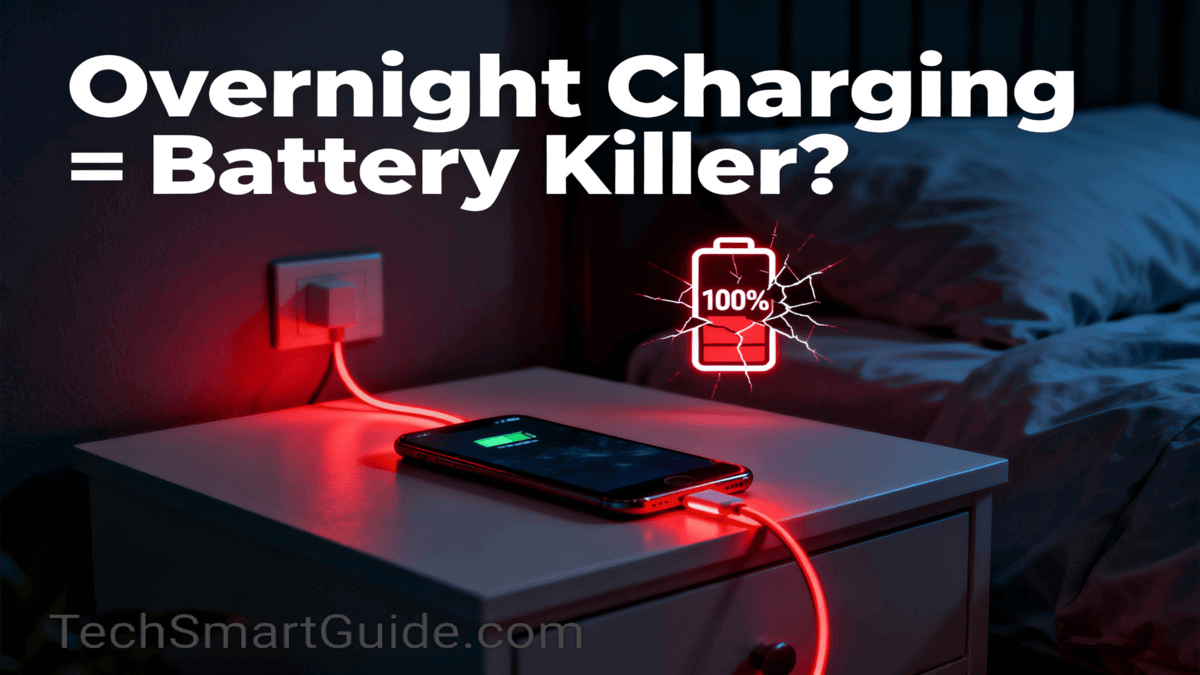
Most people use their phones late at night until the battery is low and then plug them in for a full charge all night. But there’s always one question: Is leaving your phone plugged in overnight actually harmful? Modern smartphones have smart charging technology that prevents overcharging your battery. However, remember this: smart charging only stops overcharging, but your battery still goes through repeated charge-discharge cycles (called trickle/maintainance charging) while staying plugged in overnight.
What is Trickle charge?
Modern smartphones stop charging once the battery reaches 100%, but the battery naturally loses a tiny amount of charge (0.1-0.5% per hour) over time – even when the phone is idle or switches off. To fill this gap, the charger occasionally pushes a tiny amount of power (trickle charging) to keep your battery at 100% until you unplug it. Sumsung called it a Maintenance charge.

Let’s uncover the real consequences and myths about whether charging your phone all night actually damages the battery.
Is It Safe to Leave Your Phone Plugged in Overnight? Battery Care Guide 2026
Yes, smartphone companies generally claim that it’s safe to leave your phone plugged in overnight. But it’s definitely safe for everyday as it gradually damages your battery due to Trickle charge. Still, heat buildup stresses battery cells over time and batteries lose 20% capacity in 2 years with daily overnight charging.
20-80% charging Rule: To protect your battery from heating and overcharge, make it a good habit to plug in as soon as it hits near 20% and stop at 80%. Most modern lets you set 80% charging limit to remove manual intervention of unplugged charger.
Test result for 20-80% rule:
80% limit users: After 2 years 93-97% health (vs 82% normal users)
Samsung/Google phones: 80% limit = 2.5x cycle life (500 → 1200 cycles)
Xiaomi test: 18 Month 80% users phone 96% health vs 85% normal
The 20-80% rule means your 2-year-old phone lasts 4+ years – just 15 extra minutes charging for 2 years battery life. I started 80% limit 6 months ago – battery health still 98%, runtime unchanged.
Why won’t my phone charge above 80 percent?
If your phone is not charging above 80% that means you already have a 20-80% charging rule active by default to prevent battery overcharge and reduce battery aging which temporarily halts the charge to prevent damage. Almost all modern smartphones have this smart charging technology enabled.
Solution: Check Settings > Battery turn off or adjust “Optimized Battery Charging” or “Battery Protection” or “Charging limit”.
Can Leaving Your Phone Plugged in All Night Damage Your Battery? Myth vs Simple Facts
Yes, leaving your phone plugged in all night is generally safe and you can’t see any immediate damage due to smart charging technology that prevents charging after reaching full battery capacity. However, it slightly increases the battery degradation overtime because of trickle charging stress on the battery. Occasionally charging your battery all night is harmless but regular use of longtime charging aging your battery faster.
Myth vs Fact and best Practices
Myth 1: Phone explodes
Fact: Very Rare but fire risk from faulty cables/Charger rises 10x overnight.
Best practice: Always use original or reputed brand charger/Cable.
Myth 2: Instant battery damage
Fact: Gradual, 300-500 full cycles charge before noticeable drop in battery charge full capacity.
Best Practice: Use 20-80% charge rule a maintain healthy battery life.
Heat is enemy #1: Phone + charger generates 40-50°C. Mainly fast charging generates huge amount of heats of your battery is very low. That’s why everyone always suggest to plugged in as soon as battery capacity reached below 30%.
Android/iOS both affected; Samsung/OnePlus have 80% limits now.
Early Warning Signs of battery degradation
Battery drops 10-20%+ overnight (idle).
Phone generate heats during charge than before.
Battery capacity stuck at 90 or 95% max.
Phone charge and discharge much faster than before.
Phone Charging Tips for Longer Battery Life: Should You Charge Overnight?
Daily Habits (My Style):
Charge 20-80%: Set limit in Settings > Battery > Charging Optimization to 80%.
Once or twice a month give a full charge to maintain usability of full battery capacity.
Use original/fast charger on hard surface (no bed).
If the phone generates too much heat during charging then remove the cover and keep the phone in a cool place.
Enable Adaptive/Smart Charging to slowdown battery aging by learning your wakeup time and usages pattern.
Pro Battery life saving tips list:
Airplane mode overnight: Saves 5-10% drain.
Schedule power on-off: Set your sleep time in schedule power on-off to reduce overnight stress on the battery.
Weekly 100% charge for calibration.
Avoid 0-20% deep discharge – plug at 30% or below as soon as possible.
Avoid these common mistakes when charging your smartphone overnight
7 Mistakes common mistakes:
Faulty cables/Charger – sparks fire risk.
Phone under pillow or bed (overheats).
Full brightness while charging.
Background apps unchecked (check Battery Usage morning).
Ignoring software updates (fixes charging bugs).
Thick cases on.
Extreme temps (<10°C or >35°C).
Daily Checklist: Protect Your Phone Battery (No PC Needed)
Morning: Settings > Battery > Last 24h – restrict top drainers.
Brightness: 40-50% max, 30s timeout.
Close games/videos post-use.
Super Power Save if <20%. Consider plug in first than calls/games/streaming.
Weekly: Clear phone cache, update apps.
FAQs – Overnight Charging Solved
Q1: Is overnight charging OK once a week?
A: Yes, but daily no – aim 80%.
Q2: Does fast charging hurt more overnight?
A: Yes, generates extra heat.
Q3: iPhone vs Android – which is safer?
A: Both similar; use Optimized Battery.
Did Overnight Charging Hurt Your Battery? Comment Your Story
Most of us can’t stop using our phones late at night, but we don’t want to kill the battery before the phone’s life is over. With simple habits like the 20–80% charging rule, avoid overnight charging, and using smart charging features, you can easily keep your battery healthy for years instead of months.If you found this guide helpful, try these tips for at least one month and see how much less your battery heats up and drains. Then come back and share your experience in the comments – does your phone feel any different now? Also, if you know someone who keeps their phone on charge all night, send them this post and help them save their battery too.
If you want to learn more about why smartphones are overheating and draining the battery fast, Click on the button.